


 InvoiceRenamer
Save time. Keep your invoices organized.
Recognize invoice data locally from PDFs, scans and images. Review the suggestions, then have your files named and organized according to your settings.
Discover the featuresReview invoice details
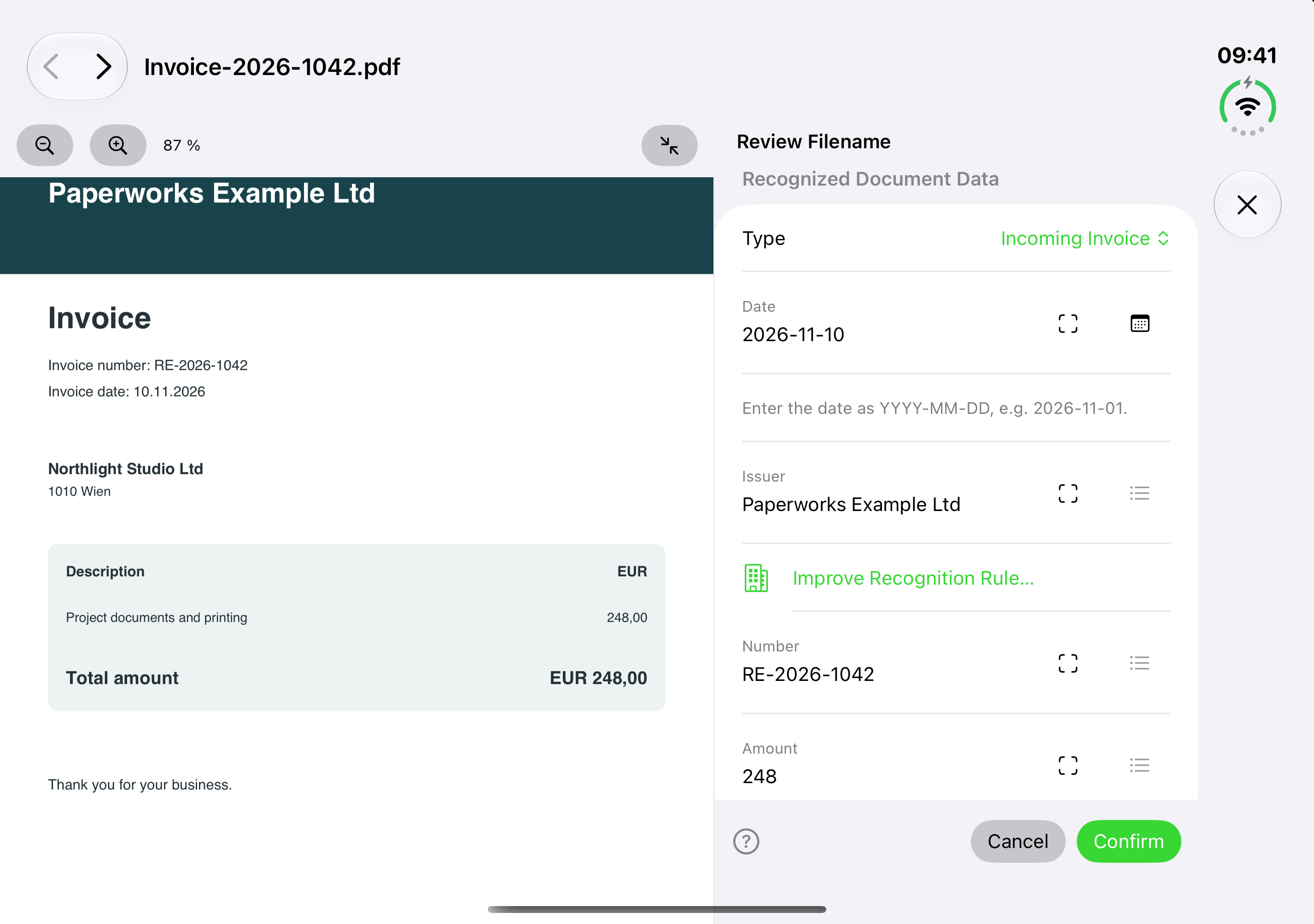
Less typing. Stay in control.
Recognize invoice data from PDFs, scans and images directly on your device. Review the suggestions alongside the document and confirm the details you want to use.

Process batches
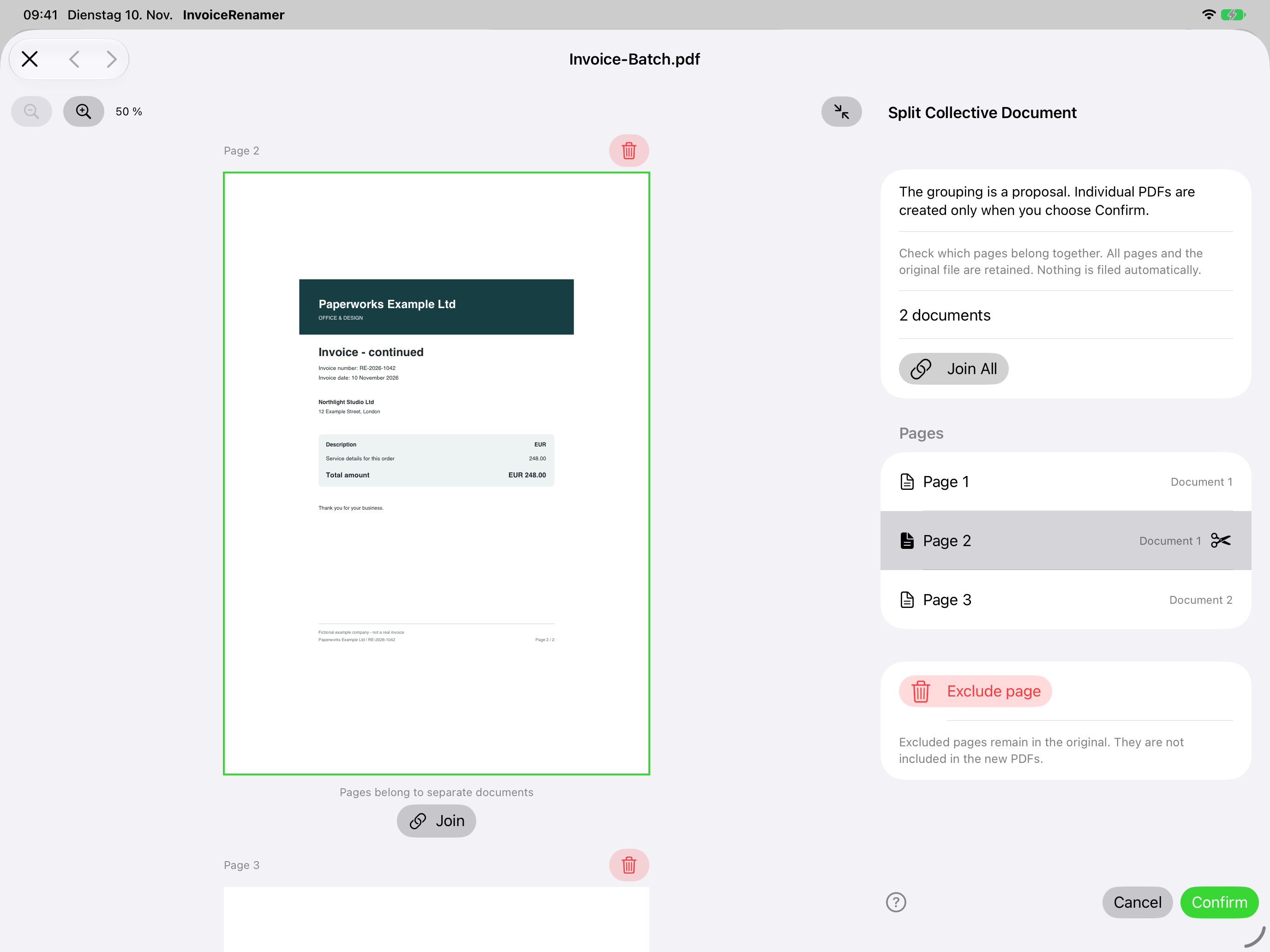
Work through scanned invoice batches efficiently.
Scan several invoices into a single PDF file. InvoiceRenamer helps identify individual invoices and their continuation pages. Review the suggested split and adjust it as needed. Then name and file each invoice in a structured folder layout.

Organize your files
Reviewed. Named. Filed where it belongs.
Review your invoice details and start processing. InvoiceRenamer then names and files your documents according to your settings—for example, in configured year and month folders. Keep your invoices organized for your own records or your business.


Recognize companies
Recognize familiar business partners more easily.
Save confirmed VAT ID and text identifiers in your company list to help recognize familiar companies in future invoices. Maintain the list for yourself or together with your team through a shared folder or iCloud, so you can use consistent company details for your invoices.


Platforms & requirements
 macOSMac
 iOSiPhone
 iPadOSiPad
Mac: macOS 14 or later. iPhone and iPad: iOS or iPadOS 26 or later. Invoice data is recognized locally on each device. Maintain shared company lists through a shared folder or iCloud.
InvoiceRenamer
Coming soon to the App Store.
More order for your invoices.
Look forward to InvoiceRenamer – less typing, easier invoice naming and organized filing.